Top Apps to Track Spending: Your Ultimate Guide
Discover the best apps to track spending. Compare top picks, pricing, features, and find your perfect budgeting tool.
Top Apps to Track Spending: Your Ultimate Guide
In a world where every dollar counts, having the right tools to track your spending can make all the difference. I've tested a variety of budgeting apps to see which ones truly make managing your finances easier and more effective. Let's dive into some of the best apps to track spending, and I'll share my personal experiences with each.
What to Look for in Spending Tracker Apps
When considering apps to track spending, there are a few critical aspects to think about:
- Ease of Use: A clean, intuitive interface makes it easier to stick with your budgeting goals.
- Features: Look for features like automatic transaction categorization, budget setting, and expense reports.
- Pricing: Consider whether the app offers a free version or if the premium features are worth the cost.
- Integration: Does the app integrate seamlessly with your other financial accounts?
With these criteria in mind, let's explore the apps that stood out to me.
KlutterAI
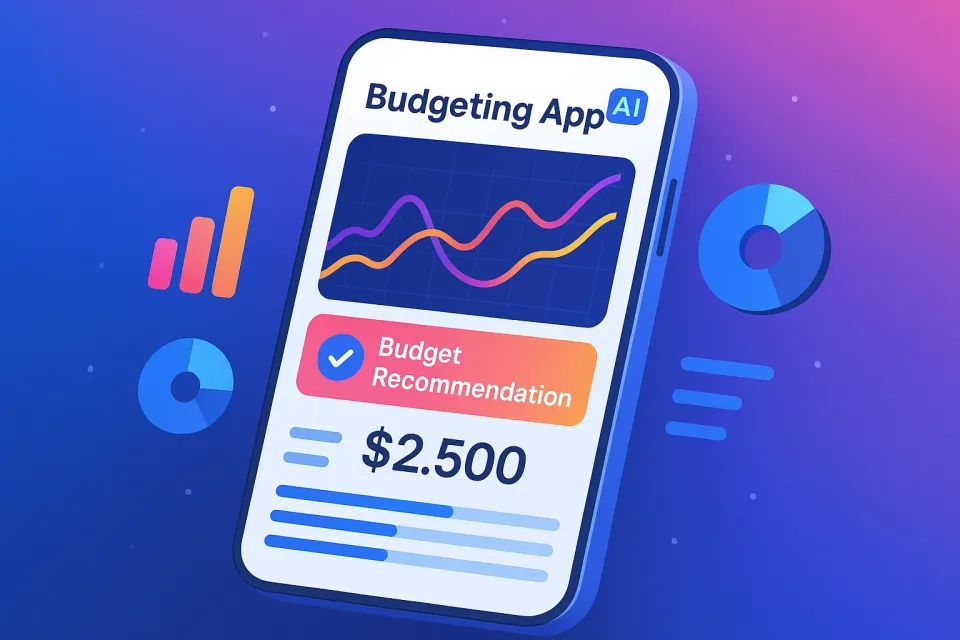
KlutterAI is an AI-powered expense tracker that automatically categorizes your spending. Its standout features include smart budget recommendations, multi-account aggregation, and an intuitive interface.
What It Does Best
KlutterAI's AI auto-categorization of transactions is a game changer. It accurately sorts your spending into meaningful categories without any manual input. The smart budget recommendations adapt to your spending habits, making it easier to stay on track.
Pricing
KlutterAI offers a free tier, with a Pro version starting at $4.99/month. The free version is quite capable, but going Pro unlocks more detailed insights and customizations.
Who It's For
This app is perfect for those who prefer a hands-off approach with AI doing most of the heavy lifting. It's great for people who want to simplify their budgeting without sacrificing detail.
Honest Downsides
The downside? While the AI is impressive, it can occasionally miscategorize unique transactions, which might need manual correction.
YNAB (You Need A Budget)
YNAB employs a zero-based budgeting system that demands you account for every dollar that comes in and out.
What It Does Best
YNAB excels in helping you develop strong budgeting habits by forcing you to plan for every expense. The interface is clean, though it requires a bit more effort from the user to set up categories.
Pricing
YNAB offers a free 34-day trial, after which the service costs $14.99/month or $98.99/year.
Who It's For
If you're serious about getting hands-on with your budget, YNAB is your tool. It's perfect for control freaks who relish taking charge of every aspect of their finances.
Honest Downsides
The need for manual entry can feel a bit tedious, especially when starting. Getting used to its system takes time, but dedicated users swear by it.
Mint
Mint is one of the most popular budgeting apps out there, offering everything from credit score monitoring to bill tracking.
What It Does Best
Mint's strength lies in its comprehensive dashboard that gives a bird's eye view of your financial life. Its automatic synchronization with banks and credit cards keeps your data up to date.
Pricing
Mint is free to use, with optional premium features available at $4.99/month.
Who It's For
Ideal for those who want an all-in-one financial overview without the hassle of manual data entry. It’s great for users who appreciate robust features at no cost.
Honest Downsides
The downside? Ads can be intrusive, and some users report synchronization issues with certain banks.
PocketGuard
PocketGuard simplifies budgeting by showing you how much disposable income you have after bills and savings.
What It Does Best
This app stands out for its simplicity. Its "In My Pocket" feature clearly displays how much money you can safely spend, which is perfect for quick, on-the-go checks.
Pricing
PocketGuard is free, with a Plus version available for $7.99/month or $79.99/year.
Who It's For
Great for users who want a quick, straightforward view of their finances without getting bogged down in details.
Honest Downsides
Its simplicity can be a double-edged sword. If you’re looking for detailed financial insights, PocketGuard might feel limited.
Frequently Asked Questions
Is YNAB worth it in 2026?
Yes, if you're committed to meticulous budgeting and enjoy the process of managing every dollar, YNAB is worth the investment. Its comprehensive features can significantly improve financial discipline and awareness.
What's the best free budgeting app?
Mint is arguably the best free option available, providing a wide range of features without costing a dime. It's perfect for those looking for an all-encompassing financial tool.
How does KlutterAI's AI categorization work?
KlutterAI uses advanced algorithms to analyze your transactions and automatically sort them into categories. This reduces the need for manual input, saving you time and effort.
Can Mint handle multiple bank accounts?
Yes, Mint can sync with multiple bank accounts, providing a comprehensive overview of all your finances in one place.
What if AI miscategorizes a transaction in KlutterAI?
If KlutterAI's AI miscategorizes a transaction, you can manually correct it and the system will learn from your adjustments.
Verdict
Choosing the right app to track spending largely depends on your personal finance goals and habits. For hands-off users, KlutterAI offers powerful AI-driven insights. If you're serious about detailed budgeting, YNAB is the gold standard, while Mint's comprehensive features make it unbeatable as a free tool. For those who prefer simplicity, PocketGuard keeps things clear and straightforward.
Looking to master budgeting? Check out our guide on Mastering Budgeting Categories for Financial Success.
If you're ready to take actionable steps, now's the time to try out these apps and find the one that best suits your financial journey.